
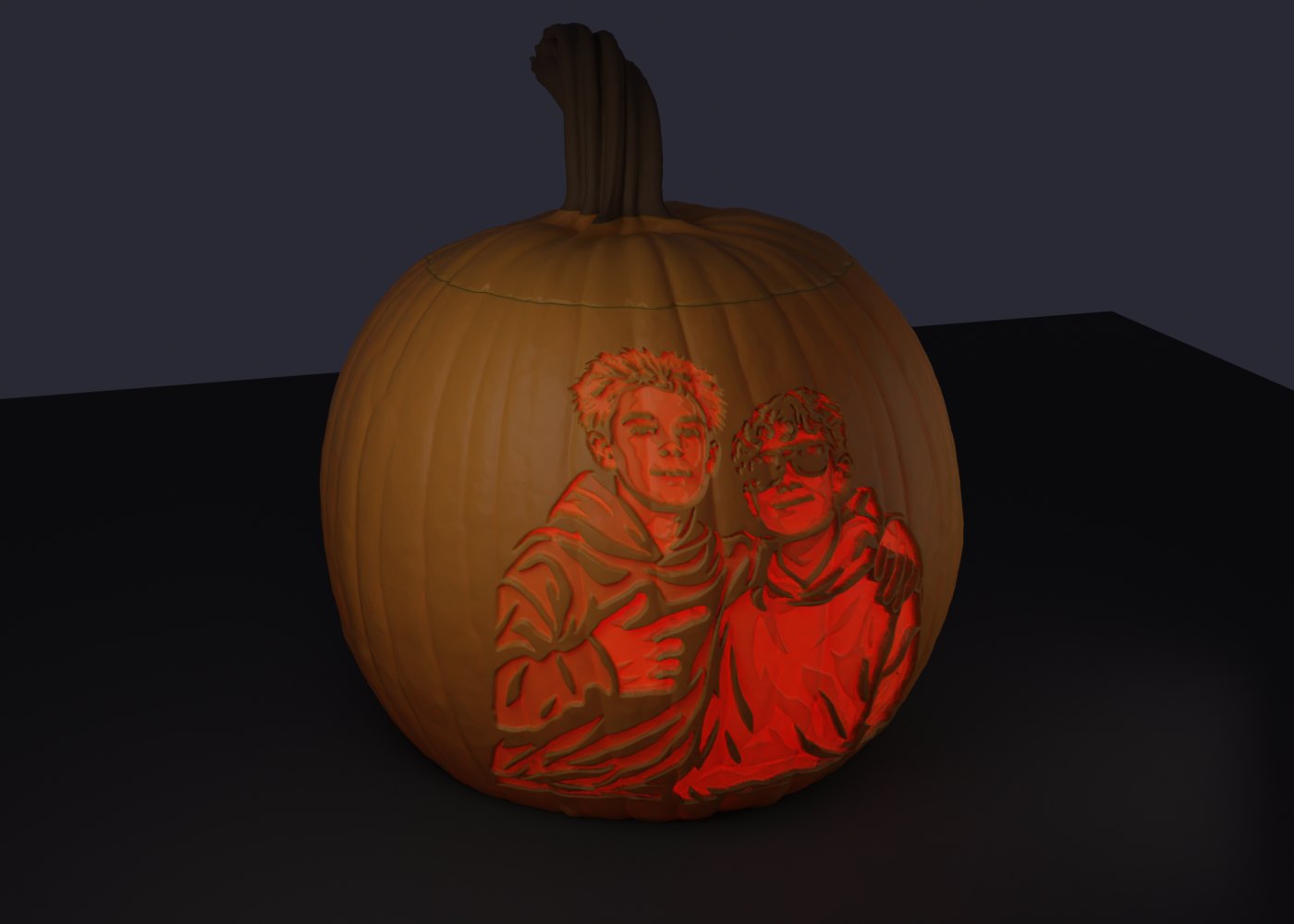
Drop in a photo, or up to four for the whole family. We turn it into a carving stencil with 6, 8 or 12 depth steps and a hollow jack-o-lantern whose thin skin glows with the portraits when you put a light inside. Add a name or a year, pick your printer, and print. No account needed: pay once per pumpkin, or go Unlimited for the whole family.
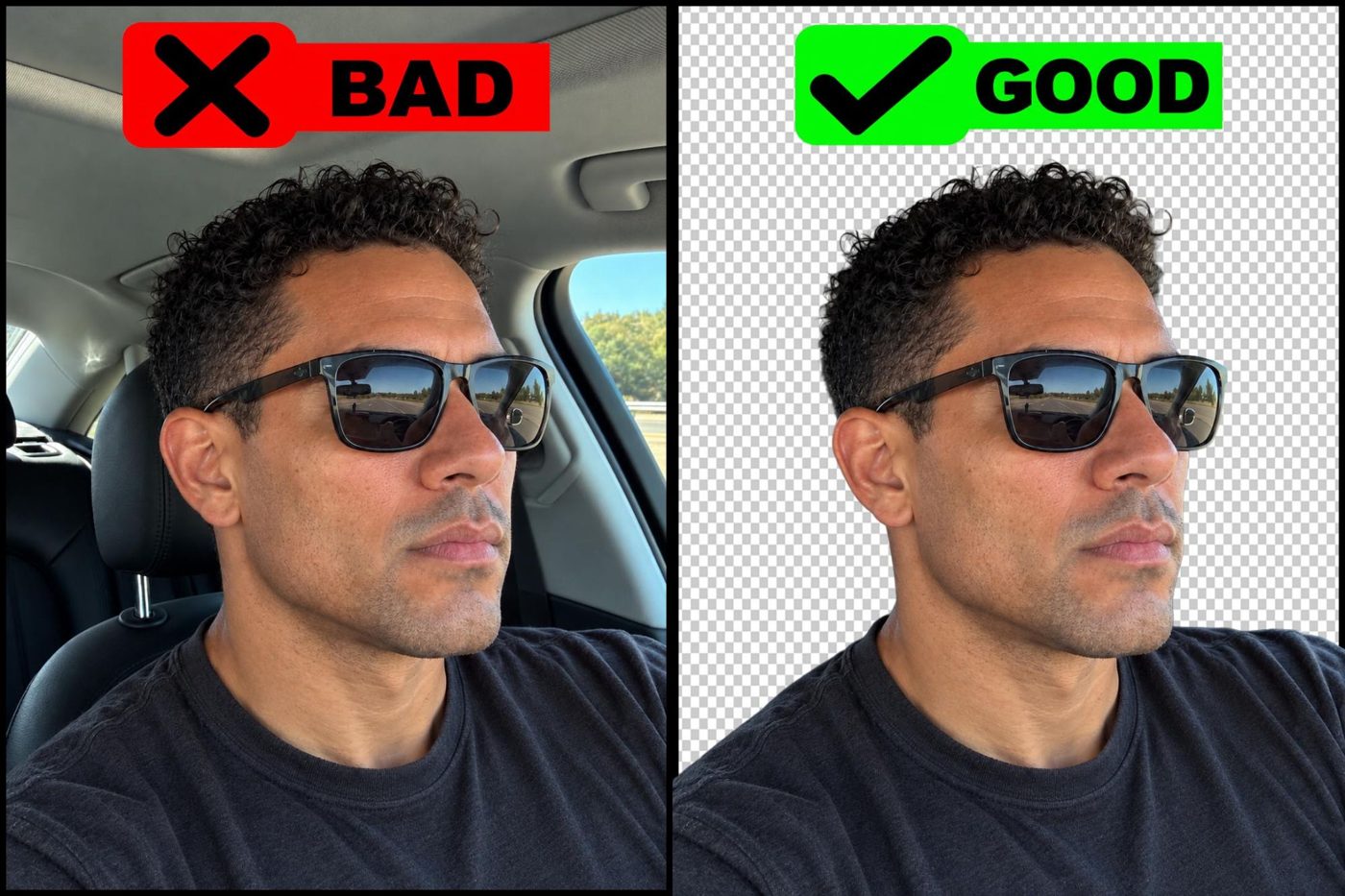
We remove backgrounds automatically, but a photo you have already cut out (a PNG with a transparent background) carves cleaner: no stray edges from a car seat, a wall or a tree behind you. On an iPhone, press and hold the person in the Photos app and tap Share to save the cut-out. Most Android galleries can do the same, and free tools like remove.bg work too. A bright, front-facing photo with the face filling the frame works best.
JPG, PNG or WEBP up to 15 MB each. The background is removed automatically (or kept, your choice); drop up to 4 photos and they are composed side by side or spread round the pumpkin, each with a name underneath. Mirror, flip, add a caption.
Pick 6, 8 or 12 carving depths from "leave the skin" to "cut through". Sliders for smoothness, contrast, line work and shadows update in about a second.
Pick Simple (smooth ribbed body, ~10 s) or Realistic (carved into a scanned pumpkin with a leaning stem, 1–2 min), a width from 90 to 180 mm or the big 180 × 180 × 140 and 180 × 180 × 180 presets, and your printer so only sizes that fit are offered. Place the portrait high or low, big or small; wrap a panorama all the way round; leave the stem off; add a cable hole for an LED string. Spin it, lift the lid, save a night photo or a spin video.
The 3MF already carries the print settings: 0.16 mm layers, two walls, no supports, seam at the back. Body prints upright and the lid plug-side down on any FDM printer. Orange filament plus a little brown for the stem. An LED tea light fits the opening, or run a string light through the cable hole.
Print it yourself on any FDM printer. One-time, per pumpkin, through Stripe (card, Apple Pay or Google Pay). The stencil and 3D previews are free: you only pay when you want the files. Making a few? Unlimited is $19.99/month for every pumpkin you build while the plan runs, cancel any time.
Buy the model filePick the body and lid colours, enter your address and see the exact price for printing and shipping before you pay. Our print farm partner prints it in PLA and ships it tracked, about 7–12 business days door to door. The model files are included, so you can print more copies later.
Buy a printed pumpkinThe stencil appears a few seconds after upload. The Simple pumpkin builds in about 10 seconds, the Realistic one in one to two minutes; if other people are building you see your place in the queue.
Any FDM printer with a bed of at least the pumpkin width (120 mm default, up to 180 mm). Pick your printer in the studio and sizes that will not fit are greyed out; the body and the lid can always be printed on separate plates. Orange PLA or PETG for the body, a few grams of brown for the stem. The glow skin is 0.7–2.3 mm thick, so a 0.4 mm nozzle is fine.
Yes. Drop up to four photos: they are composed side by side on the front, or spread evenly round the pumpkin with the wrap-around carving, each with a name underneath if you like.
After buying, you can add a night photo of your pumpkin to the public gallery from your pumpkin page. Only that picture and the caption you type are shown, never your photo, name or email, and you can remove it any time.
It is processed on our server to make the stencil and model and deleted together with all generated files 72 hours after upload. We never use photos for anything else. See the privacy page.
If a file will not open or slice, write to us within 14 days and we will fix it or refund the purchase. See the terms.
You pick Unlimited at the checkout of any finished pumpkin. That pumpkin unlocks at once and every pumpkin you build afterwards on that browser is included, no checkout. The plan is tied to the browser you paid from and to your email: on another device, click "Have Unlimited? Restore" in the studio and we email you a sign-in link. "Manage plan" opens Stripe's page where you can change the card or cancel; after cancelling it stays active until the end of the paid period.
Yes. On any finished pumpkin page, choose "Have it printed and shipped to you": pick the colours, enter the address and you get a price for printing plus shipping before paying. The pumpkin is printed by our print farm partner (Slant 3D, in the US) in PLA and shipped tracked, usually within about 7–12 business days. We email you the tracking number; the order page shows the progress from queue to shipped. The download pack is included with a printed order.
No. Your pumpkin page has a private link that we also email you after payment.